Calibrating Your Datalogic Magellan Scanner
Calibrating your Datalogic Magellan scanner ensures accurate readings and reliable performance. Over time, scanners can drift slightly, leading to missed or inconsistent scans. Following these step-by-step calibration instructions will help maintain optimal accuracy, whether you’re using the scale interface or the handheld scanner. Remember, while the button locations might vary slightly between Magellan models, the calibration process is largely the same.
Step 1:
Level the ScaleStep 2:
Remove the Weight PlatterStep 3:
Slide the red cover at the bottom and press the small yellow trigger. Slide the red cover back. You’ll hear a multiple-beep tone.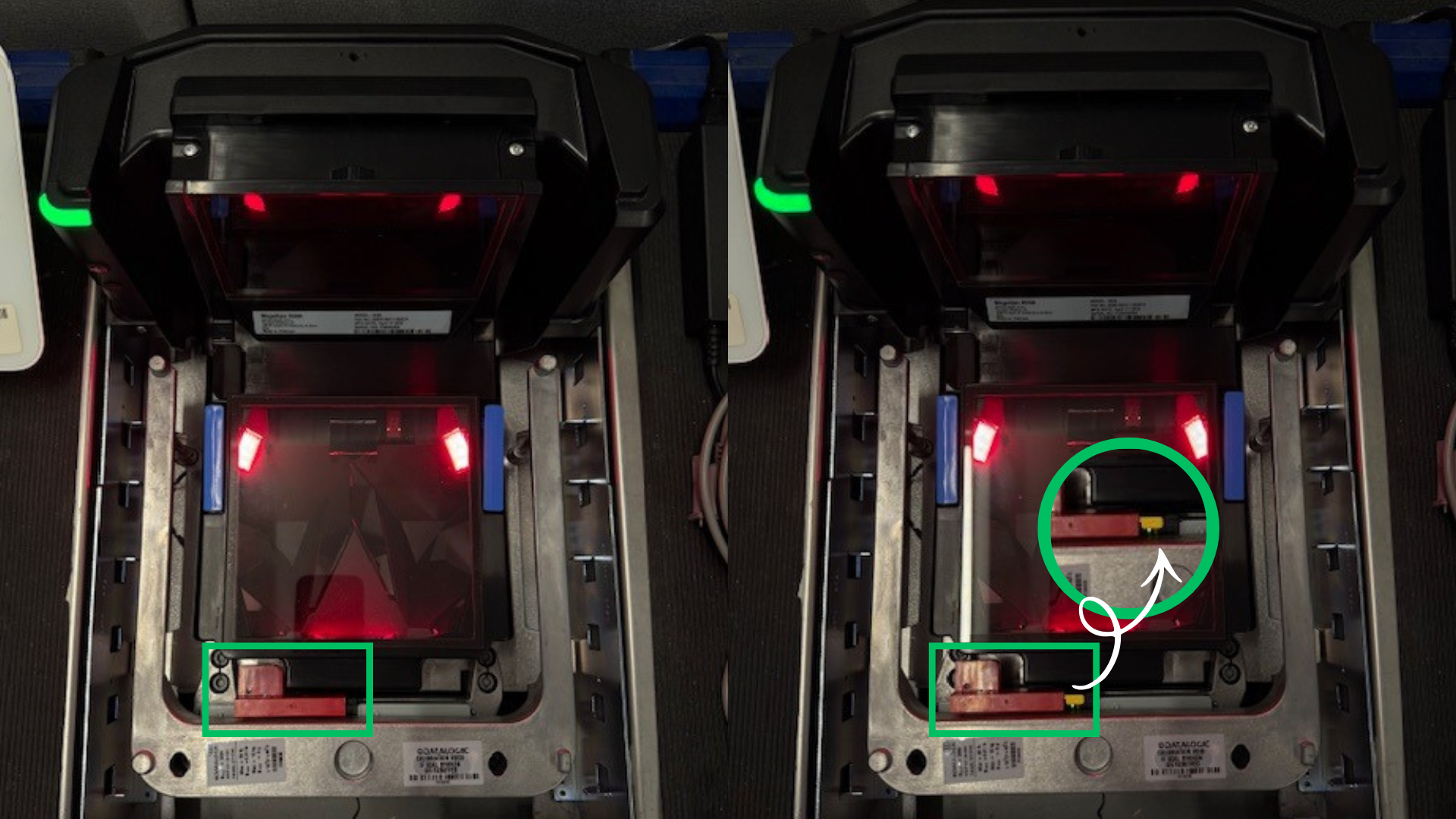
Step 4:
Reinstall the Weight PlatterStep 5:
Press the Yellow scale "Scale Zero button". You will hear two beeps..png)
Step 6:
Place exactly 20 lbs on the Scale. Press the yellow “Scale Zero” button again. You will hear a trill beep.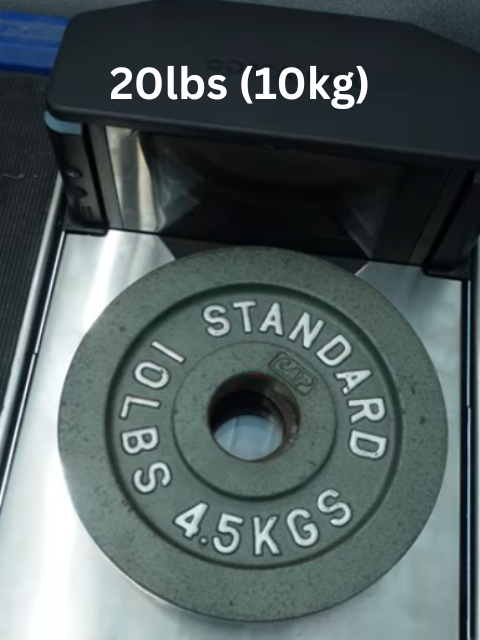
Step 6a:
If the calibration was successful, the Scale Status LED will be a solid green..png)